 Conduix
// Operations OS for industrial suppliers
Run the whole job
without the binder.
Conduix replaces the paper binders, clipboard worksheets, and tangle of spreadsheets that custom industrial suppliers run on — with one structured system from the customer’s request to the QuickBooks invoice: quoting, purchasing, receiving, shipping, and tracking.
NewPaste a customer’s email and the quote lines are proposed for you to approve. Your pricing stays yours.
Built in Baton Rouge, LA · for suppliers who’ve outgrown the clipboard.
JOB-80142
Apex Fabrication · Buyer: J. Reed
// See it in 80 seconds
Watch an RFQ become quote lines.
A customer’s emailed RFQ, read into quote lines you review and import, narrated. Want the whole job, from request to QuickBooks? Watch the full product tour:
Sales tour (5:45) Warehouse tour (1:24) QuickBooks tour (0:44)
If this sounds familiar
A job number is a Sharpie scrawl on a folder tab, and the folder is on someone's desk.
Pricing lives in a spreadsheet that only one person fully trusts.
“Did the customer get the revised quote?” gets answered by digging through Sent mail.
“Where's that vendor shipment?” means someone opening three carrier sites.
Conduix turns all of that into one system the whole shop can see.
New · AI reads the request
The customer’s request goes in. Quote lines come out.
Paste the email or drop the PDF, Excel sheet, or photo — letterhead, terms, target prices and all. Conduix reads through the noise and proposes every line — quantity, unit, description, delivery note — plus the company, contact, and reference number, matched against your directory. You tick what’s right and import. It never proposes a price; that stays yours.
- 1
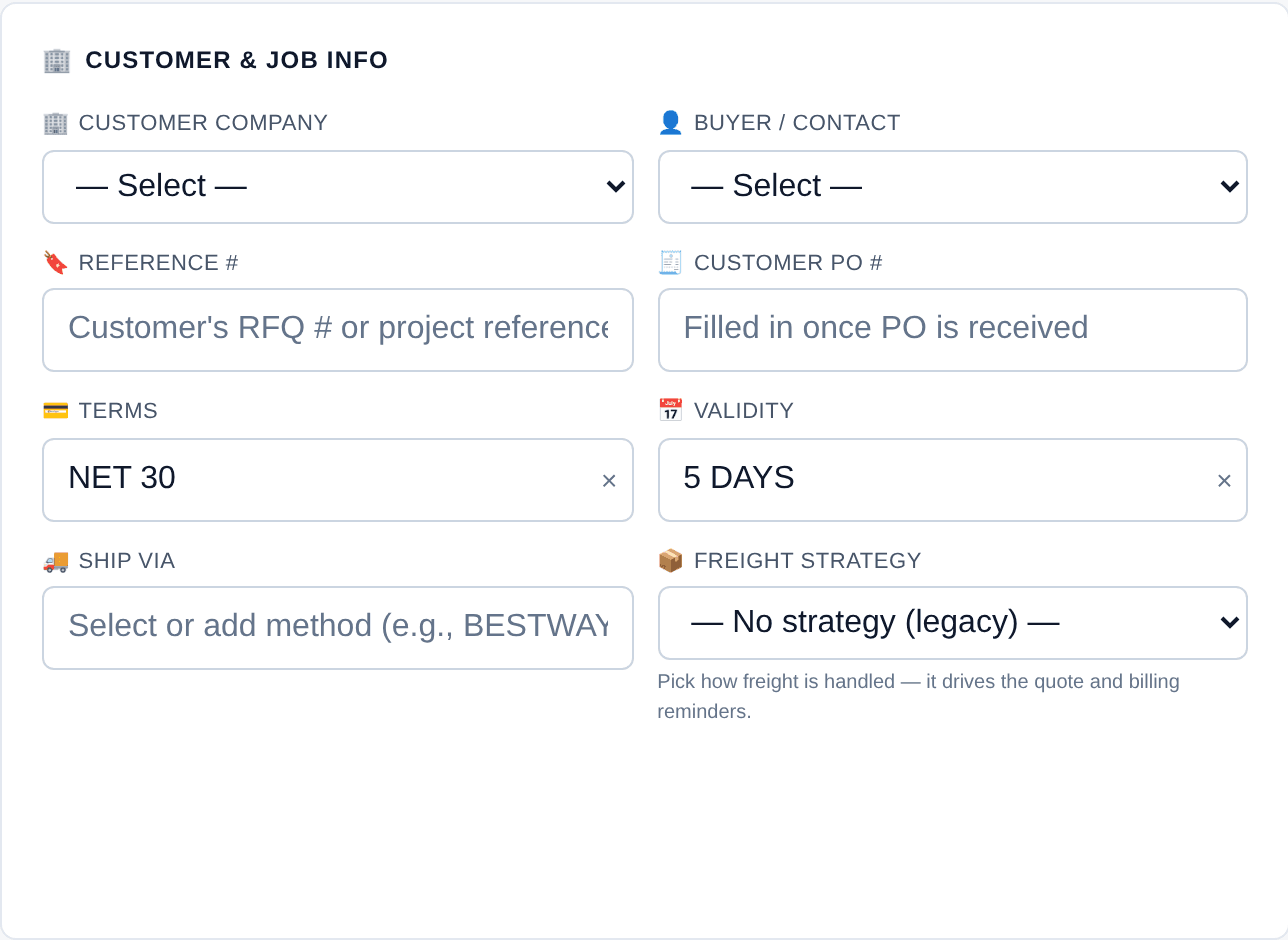
A new job, still empty
JOB-80347 — nothing but the defaults.
Customer & job info
- 2
Drop in what the customer sent
Attached as the Customer Request — letterhead, terms, target prices and all.
What the customer sent
MC-RFQ-2026-0473.pdf · 2 pages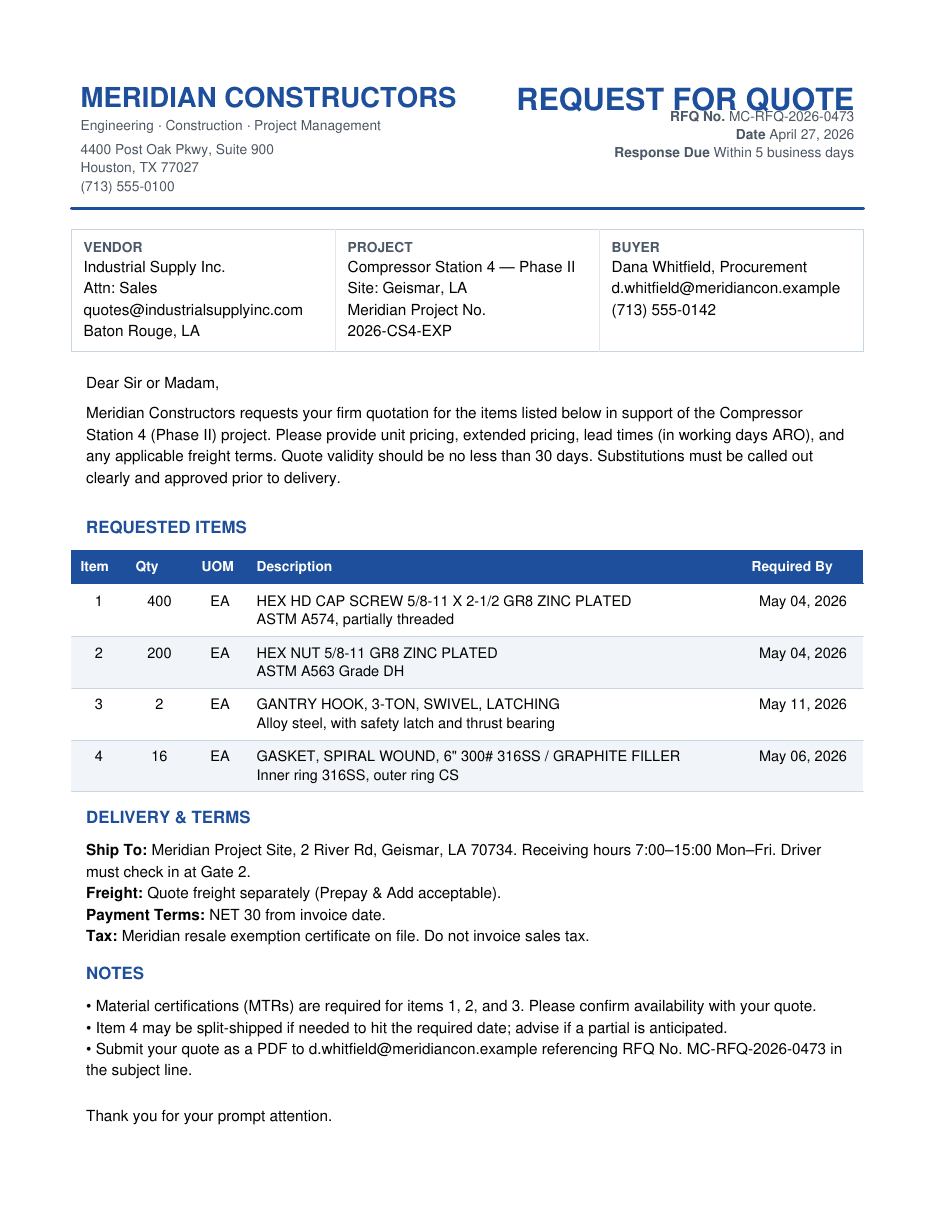
- 3
Conduix proposes — you review
Company matched by the buyer's email, contact matched, reference # read off the letterhead. Four lines, all high confidence. The MTR note and the split-ship note are summarised — not invented as lines.
Extract line items
A proposal, not a save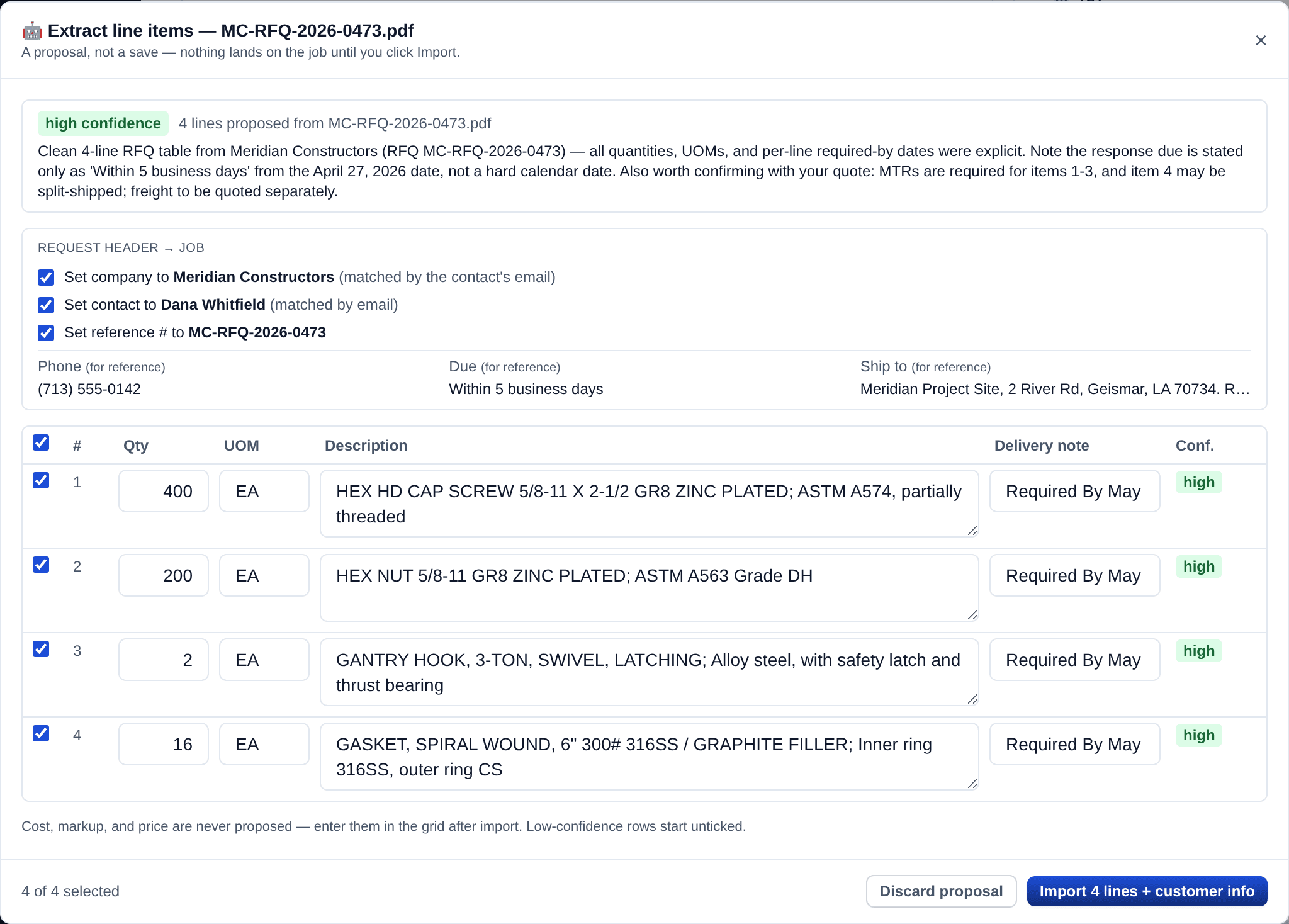
- 4
Import. The job is filled in.
Meridian Constructors, Dana Whitfield and the RFQ number are on the job; four lines with quantities, units and required-by dates. Cost, markup and price are still yours.
The same job, after Import
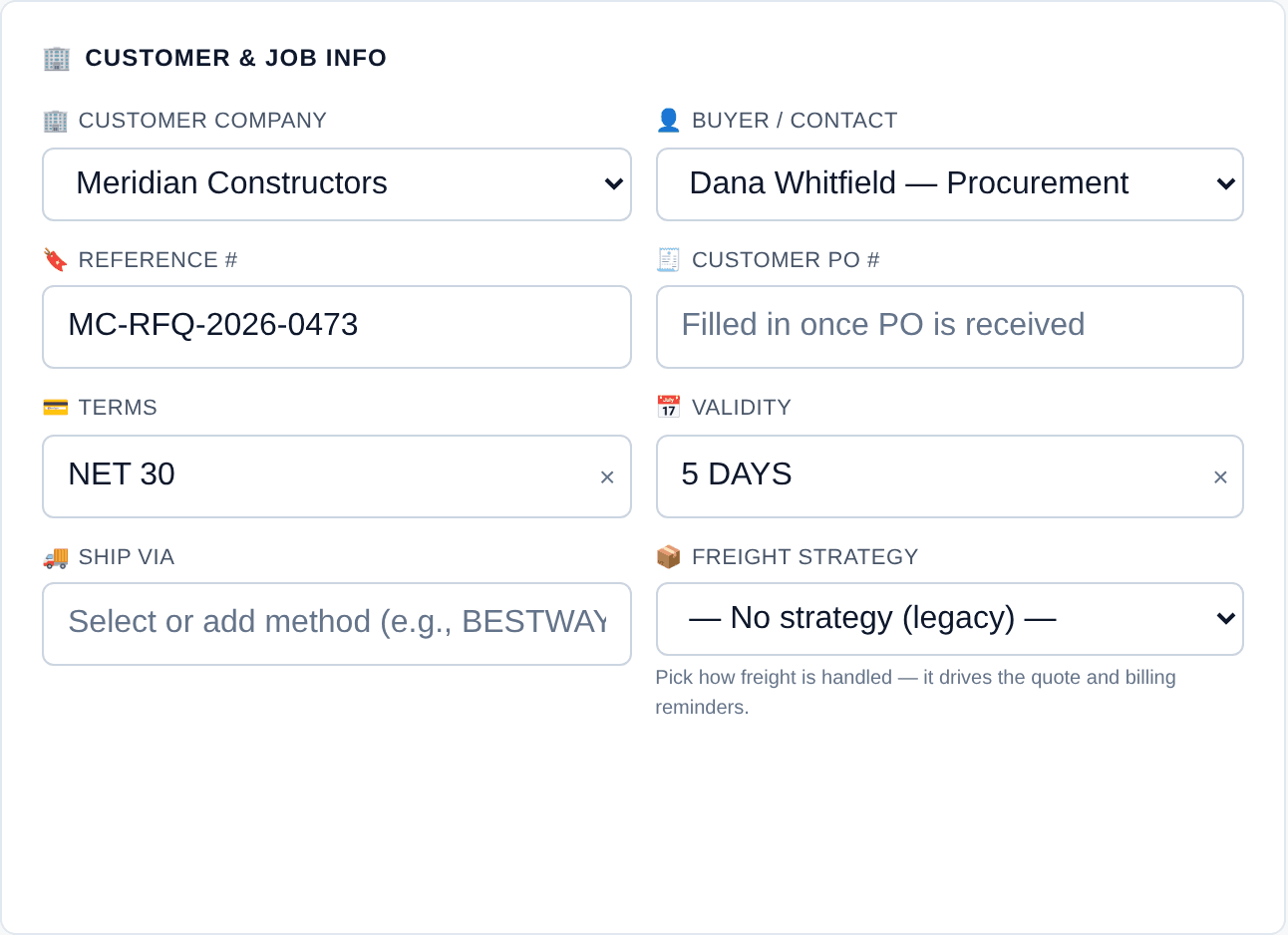
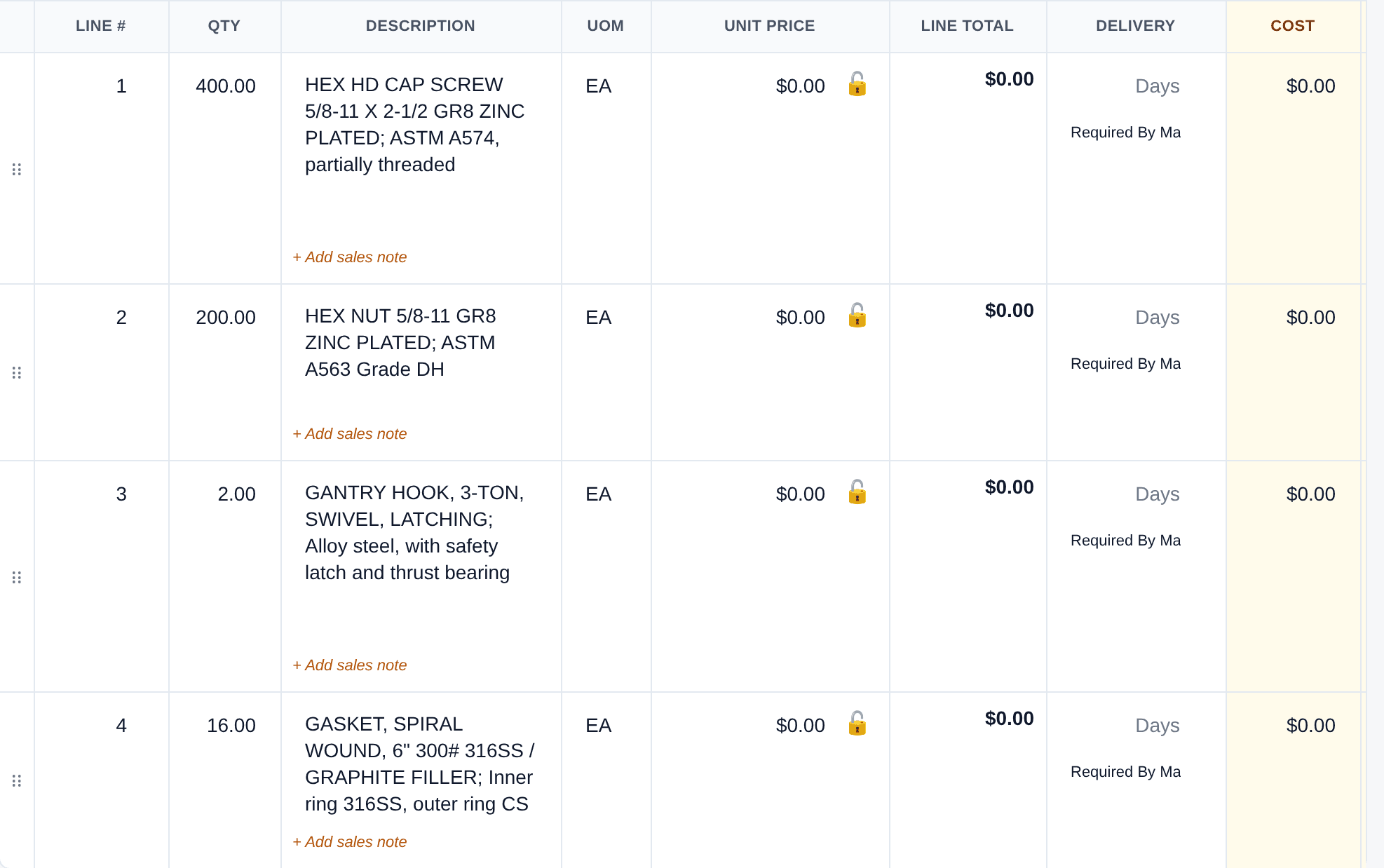
Cost, markup and price are never proposed — the amber columns stay yours.Every proposal is kept with what you changed, so the extraction gets sharper on your customers’ documents over time.
The clipboard, replaced — end to end.
ONE PIPELINE
Every job in one status flow
Draft → quoted → PO → receiving → ready to ship → shipped. No more hunting through a binder for where a job stands — sales, the warehouse, and accounting see the same live pipeline, and every step is dated and signed.
AI READS THE REQUEST
Paste the customer's email. Get the quote lines.
Drop in the RFQ — an email, PDF, spreadsheet, or photo — and the line items, quantities, units, and the customer's contact details are proposed for you to approve. Nothing lands until a person says so, and it never touches your pricing.
PRICED IN SECONDS
Line items that do their own math
Cost, markup, and totals calculate as you type. Paste a vendor's spreadsheet straight in — quantities, costs, and delivery columns land where they belong. Undo a mistake; restore a line you removed by accident.
QUOTES THAT GO OUT
A branded PDF, emailed in two clicks
Send a clean, professional quote without rebuilding it by hand. Every revision is numbered and logged, so you always know what the customer last saw — and RFQs to your vendors go out the same way.
STRAIGHT TO QUICKBOOKS
Invoices, vendor bills, and freight land in QuickBooks
Ship a delivery and push its invoice to QuickBooks Online in two clicks. Vendor costs post as bills, carrier charges as freight bills, and a reconciliation check keeps the two systems agreeing. Link each customer and vendor to QuickBooks once.
RECEIVING & SHIPPING
Built for the warehouse, on a tablet
Receive against the PO — what landed, and where — and photograph the material as it comes off the truck: condition, labels, counts, filed on the job. Then generate the delivery ticket and packing slip; partials and proof of delivery are tracked without a clipboard.
LIVE TRACKING
Shipments that report on themselves
Inbound vendor shipments and outbound deliveries update automatically from the carrier — expected arrival on the warehouse board, live status on the job, a tracking link in the customer's notice. Own-truck runs are planned as loads.
NOTHING SLIPS
A paper trail that keeps itself
Every RFQ, PO, drawing, photo, and signed ticket is attached to the job — not buried in someone's inbox. Customer requests and signed tickets can't be deleted, only superseded, and an audit log records who changed what, and when.
How a job moves
- Draft
- Pricing
- Quoted
- PO In
- Active Sale
- 6Receiving (current stage)
- 7Ready to Ship
- 8Part. Shipped
- 9Fully Shipped
- Completed
Every job follows the same path, and everyone — sales, warehouse, accounting — sees exactly where it is. A job can be put on hold or cancelled at any stage without losing its record, partial shipments are tracked line by line, and a completion checklist says when a job is truly done: shipped, delivered, invoiced, costs in. No status meetings, no “let me go check.”
See if Conduix fits your shop.
Conduix is live today, running a Gulf Coast industrial supplier’s day from RFQ to QuickBooks. Tell us about your shop and we’ll walk you through your own jobs running in it.
Request a walkthrough